 A MAC-ONLY PDF WORKSPACE
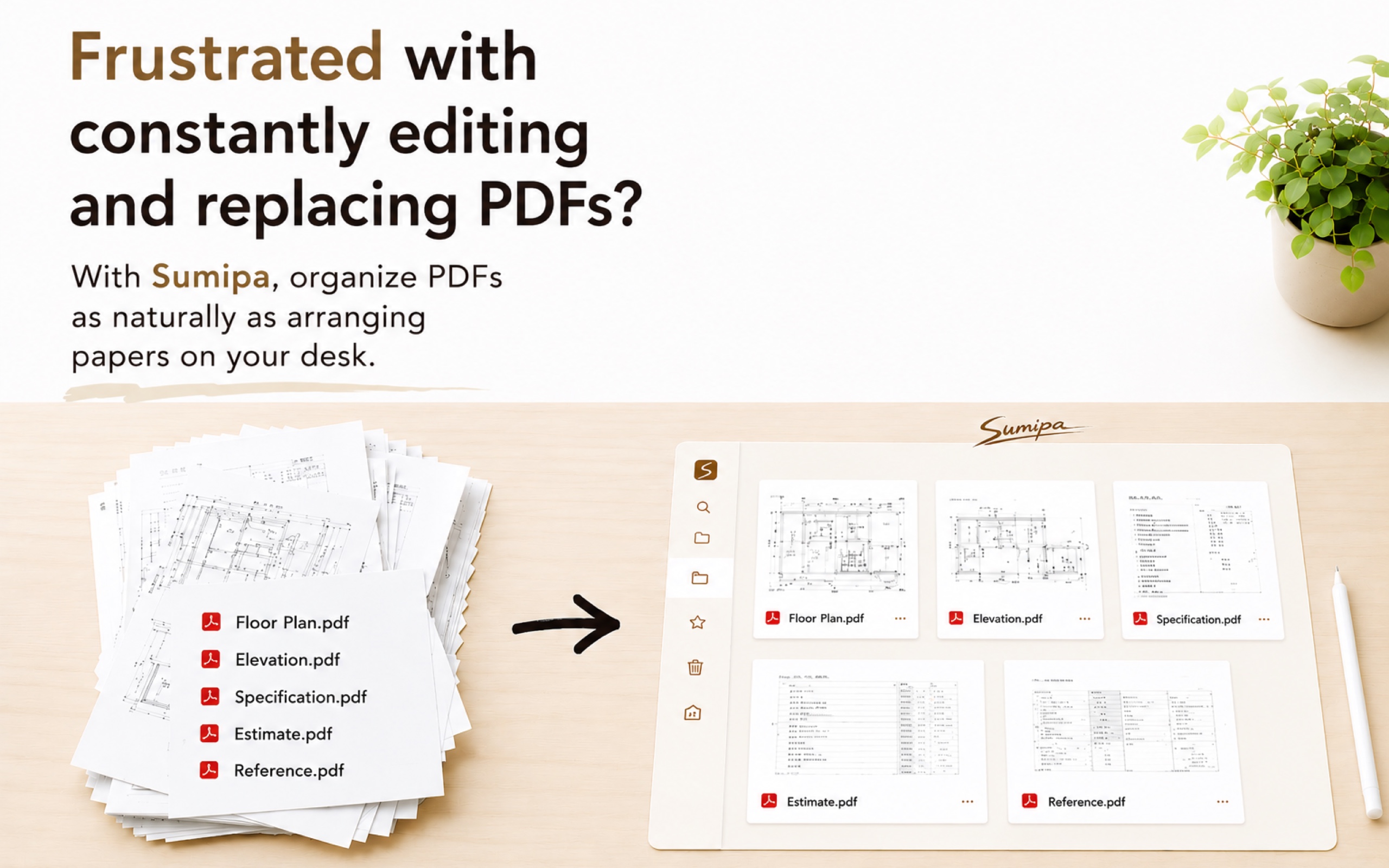
Lay out many PDFs as if on a real desk — review, mark up in red, and organize.
A Mac-only workspace built for reviewing drawings.
Buy once · no subscription · no internet access / Launch sale — 50% off
Spread your PDFs out on a desk and clear them — see the whole flow in a short video.
Everything you need on site for drawings and documents — in a single Mac app.
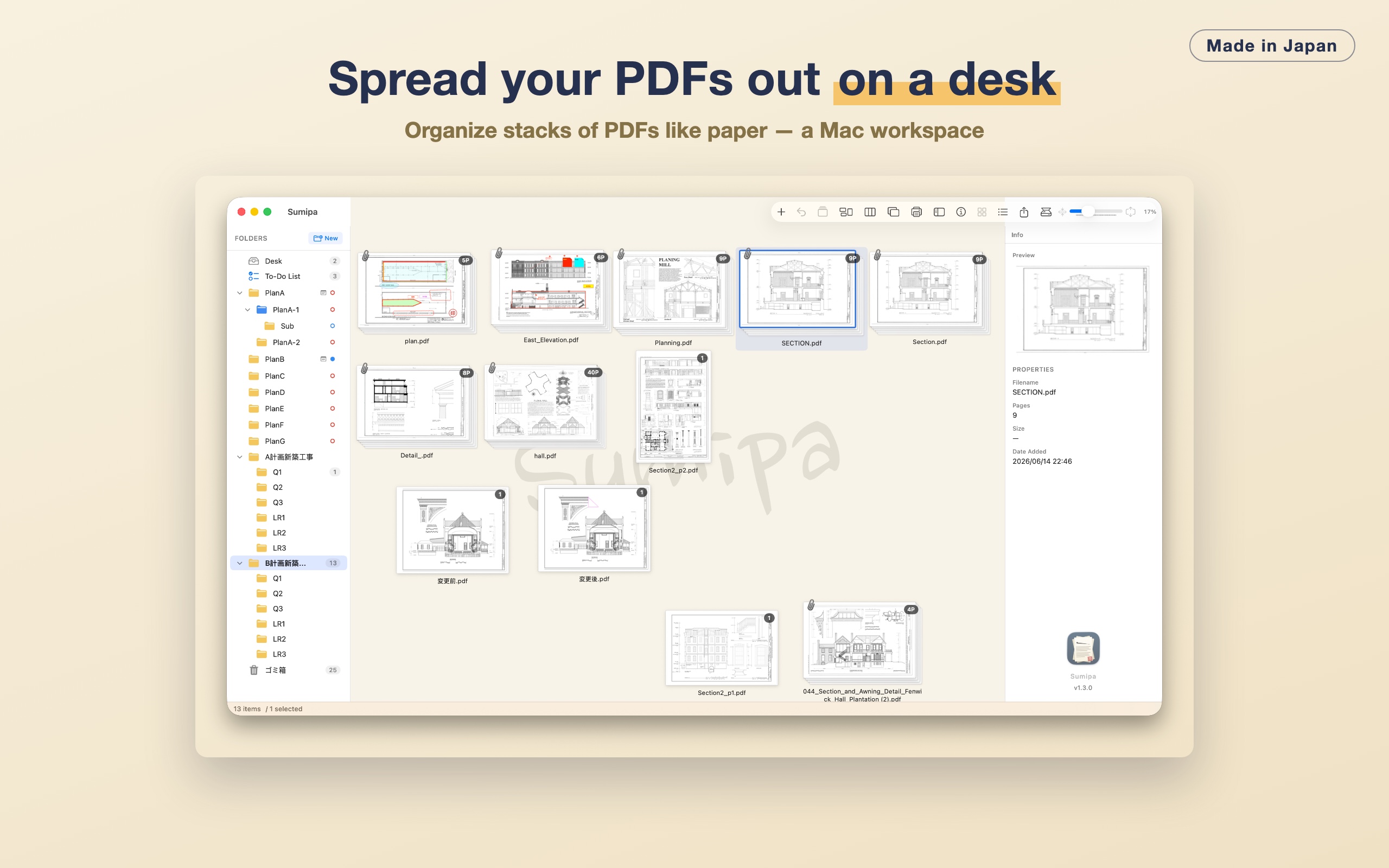
A desk where PDFs line up as cards. Sort, bundle, merge and split — your layout auto-saves.
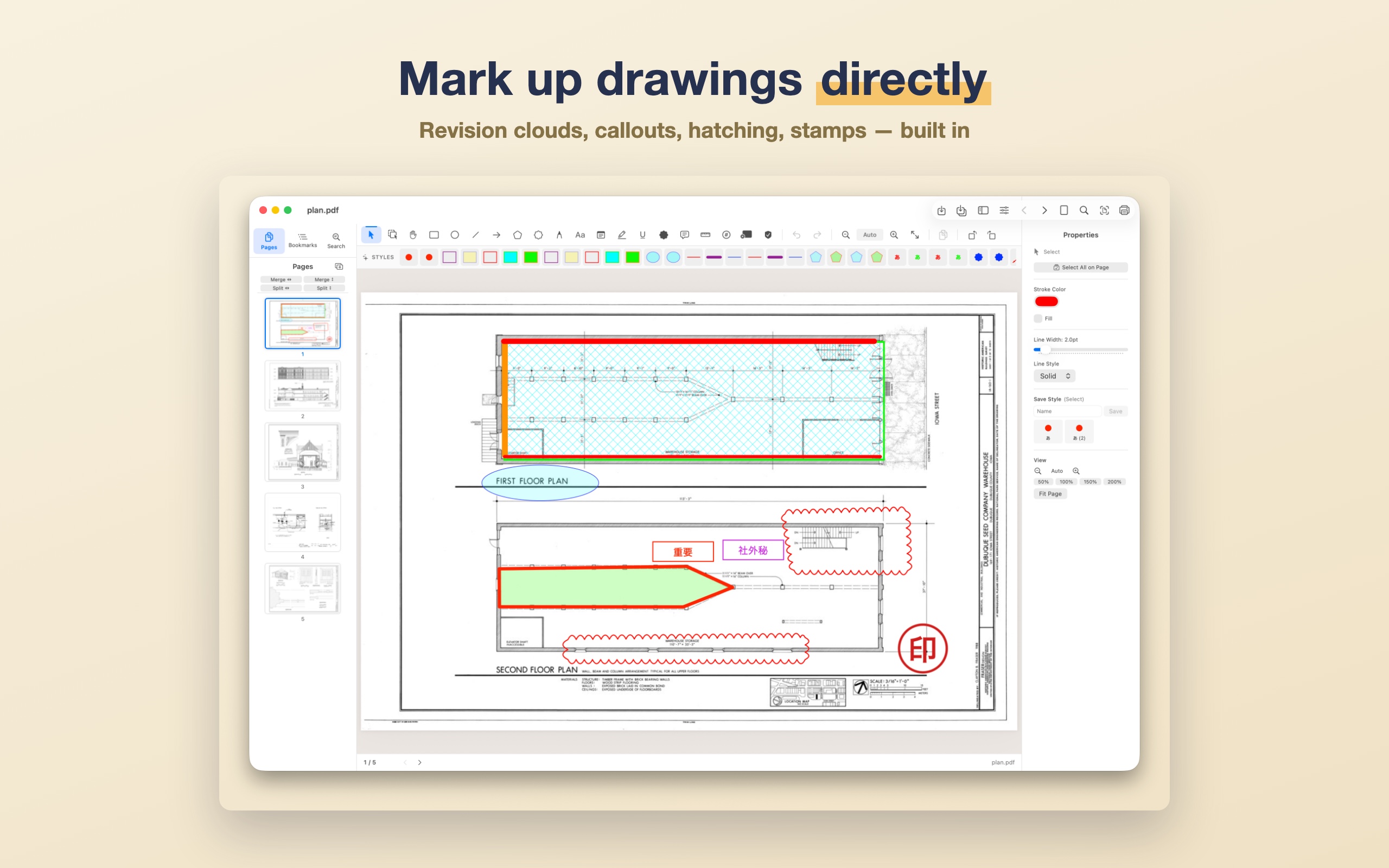
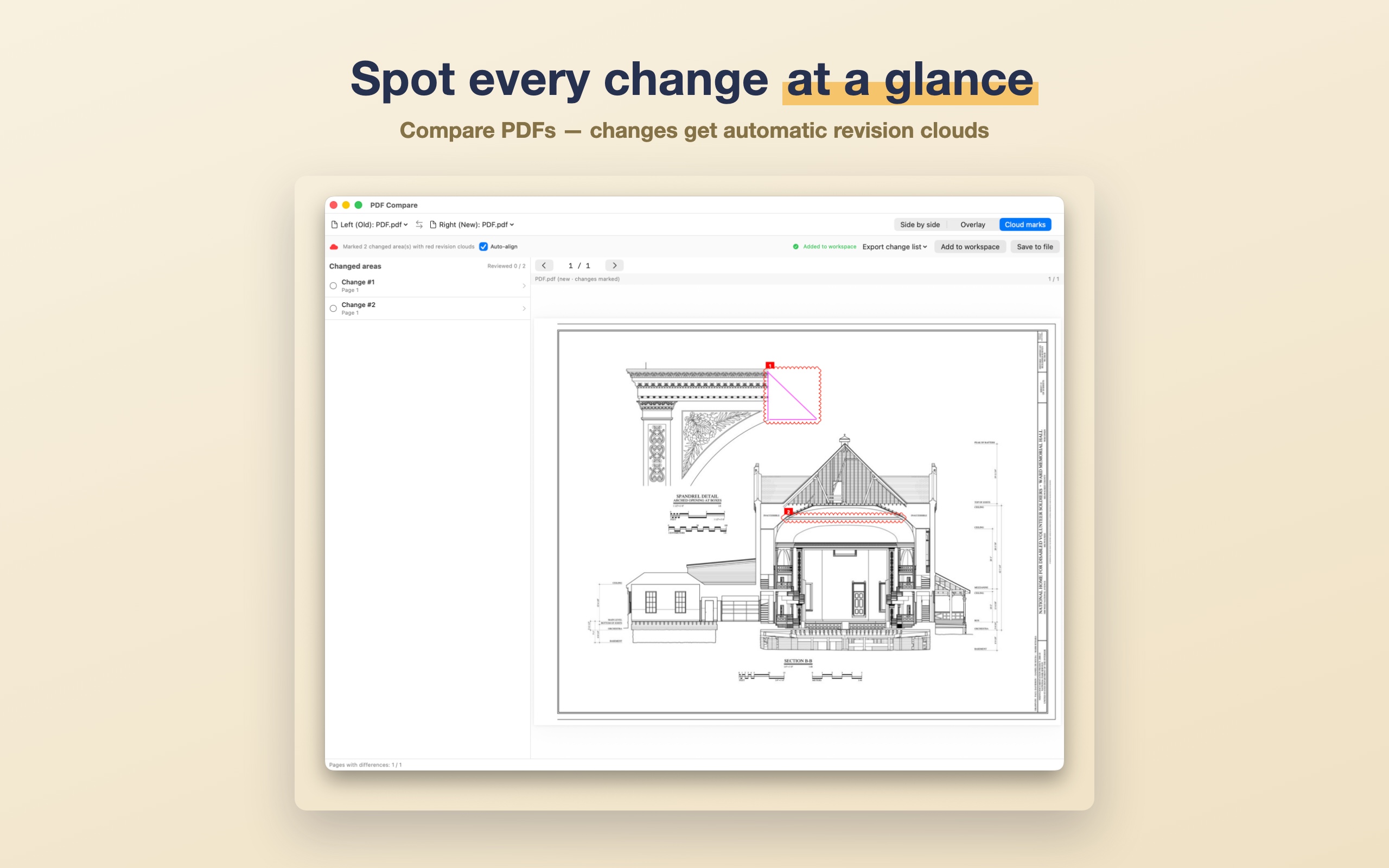
The standard mark for drawing changes. Resize and reshape freely by dragging.
Text with a leader line — write "change this, here" right onto the drawing.
Diagonal, cross and dotted fill patterns to mark out a region visually.
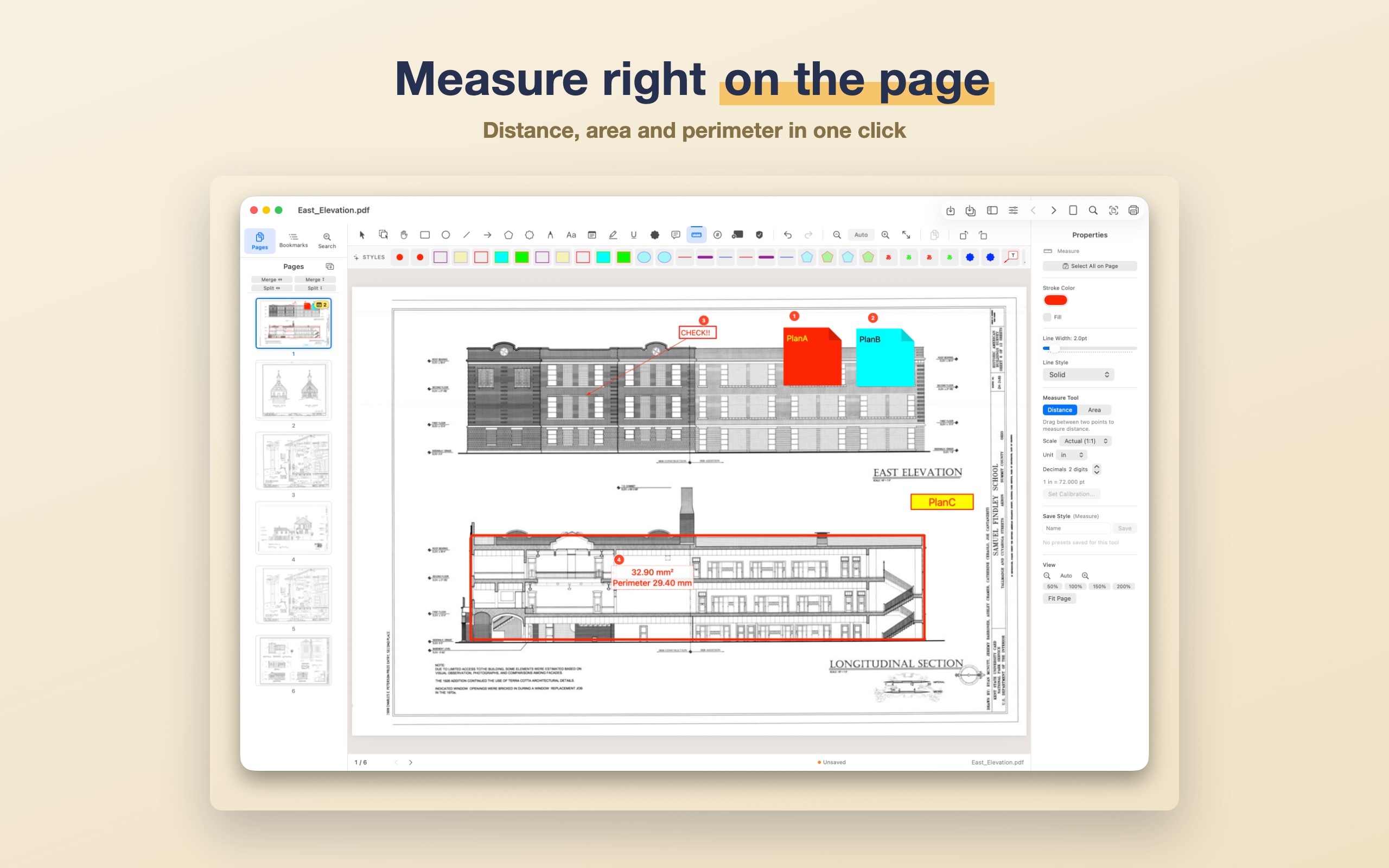
Set a scale and show distance, area and perimeter at real-world size.
Built-in Checked / Confirmed / Approved — plus an editor for your own seals.
Scan straight to PDF from copiers and scanners (LAN/USB, ADF supported).
Save your go-to color, line width and font, then apply with one click.
Add, delete, rotate, extract, duplicate and reorder pages by dragging.
Rich-text memos you can drop on the desk and save as PDF.
A checklist with due dates that syncs two-way with Apple Reminders.
⌘1–⌘9 to switch tools, ⌘E to edit text, ⌘Z to undo.
For people the industry-standard tools left behind — those who want to stay on the Mac, and those tired of subscriptions.
| Sumipa | Bluebeam Revu | Adobe Acrobat | |
|---|---|---|---|
| Platform | Native Mac-only | Windows-first (no native Mac build) | Windows / Mac |
| Pricing model | Buy once · no subscription | Subscription only | Mostly subscription |
| Offline / privacy | No data sent · stays on device | Has cloud-dependent features | Has cloud-dependent features |
| Compare → auto revision clouds | ✅ List · check off · export findings | ✅ Compare / Overlay | △ |
| Measure (length / area) | ✅ | ✅ | △ |
| Callouts / hatching | ✅ | ✅ | △ |
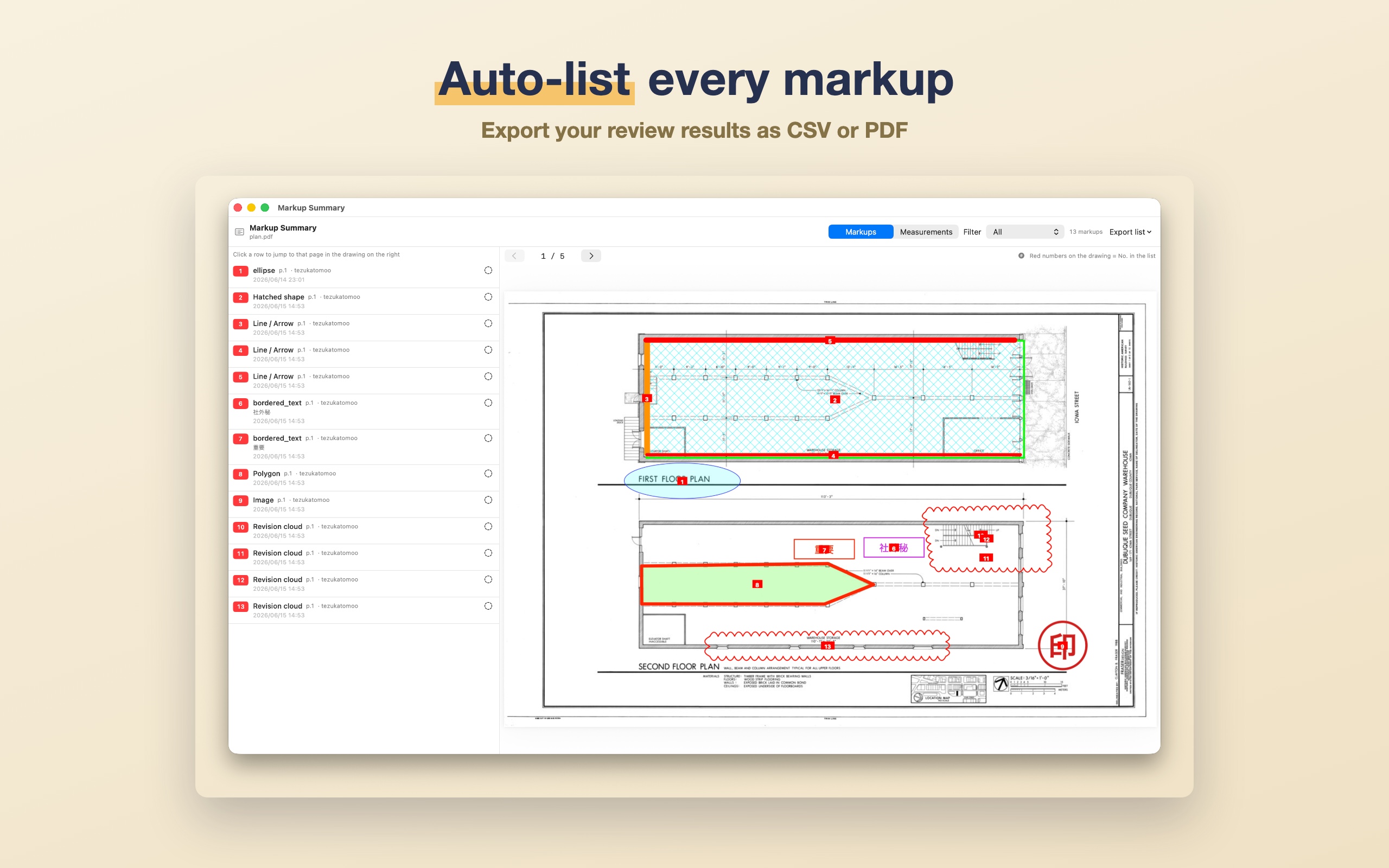
| Markup tally → CSV/PDF | ✅ | △ | △ |
| Price | Buy once · launch sale on now | Annual subscription | Annual subscription |
* Competitors' plans and prices change. Structural comparison as of June 2026 — please check each vendor's official site for the latest.
Sumipa makes no internet calls whatsoever. The PDFs you open never leave your device — there are no analytics, tracking or ad SDKs of any kind, and no login or account. (Scanning talks only to a scanner on your local network; nothing leaves your device.) See the Privacy Policy for details.
Yes. Buy it once and there are no extra charges or subscriptions. Updates within v1.x are free.
Download it free from the Mac App Store and use every feature for two weeks. If you like it, purchase from inside the app.
No. Sumipa makes no internet calls. Your PDFs are processed entirely on your Mac.
Sumipa is macOS-only — a native app for both Apple Silicon and Intel Macs.
It's distributed on the Mac App Store. Open the store from the button above and download it. Payment and updates are handled securely through the App Store.
Install from the App Store and use every feature free for two weeks.
Buy once if you like it. That's all.
macOS 14.0 Sonoma or later / Universal Binary / on the Mac App Store